
IronLog icon
Train. Track. Progress.

User Manual

A complete, screen-by-screen walkthrough of IronLog — from your first workout to your thousandth set.

Version 1.0 15 Languages kg & lbs
Scroll to begin ↓
01
Getting Started

Set up in seconds

Two taps and you're training — and it speaks your language from the very first screen.
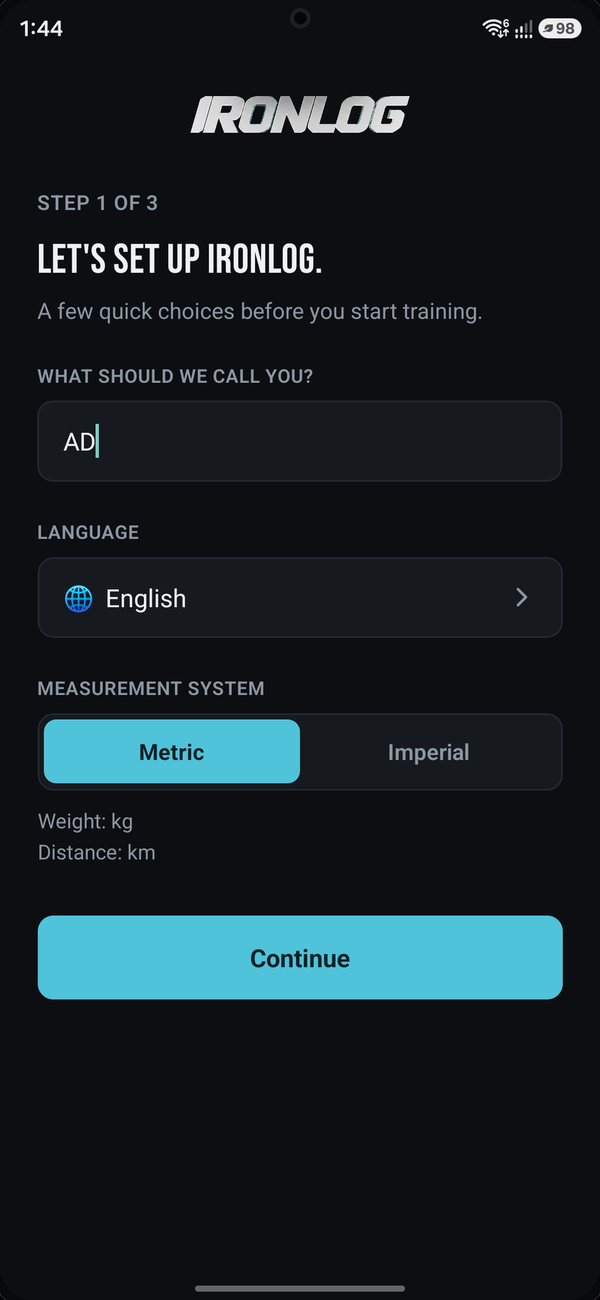
Name, language, and units
No account, no sign-up
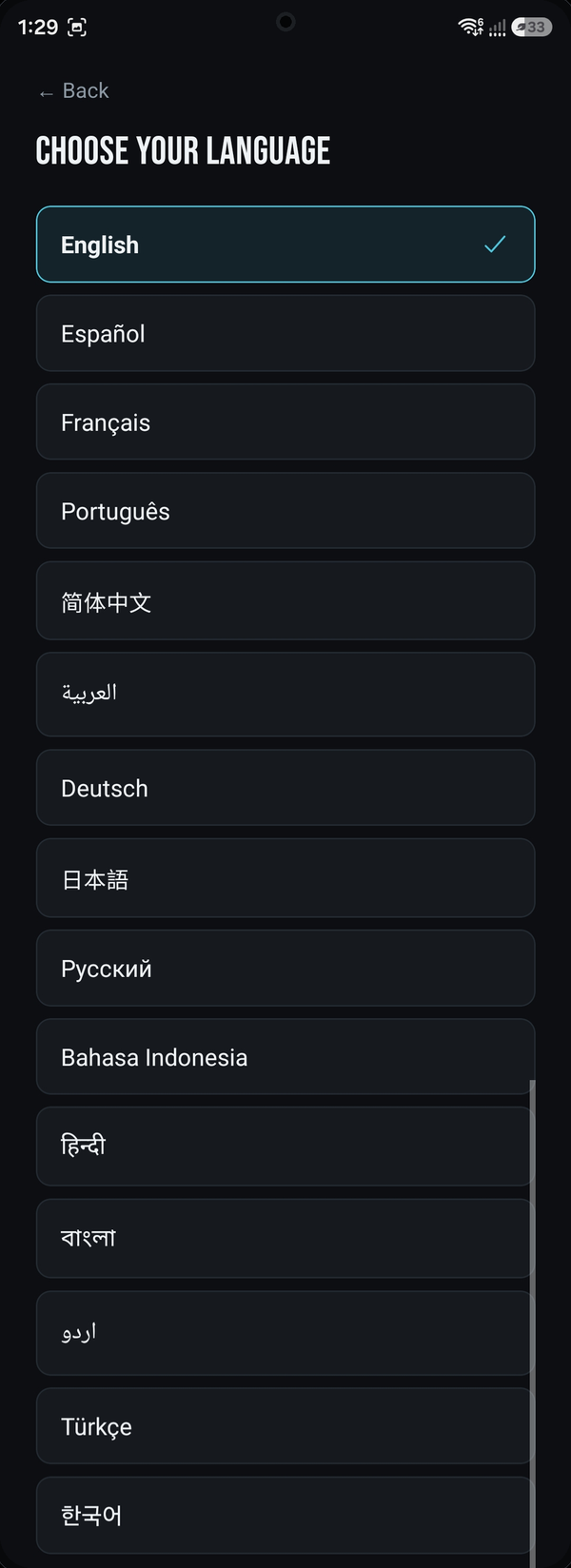
Full list of 15 supported languages
Available in 15 languages
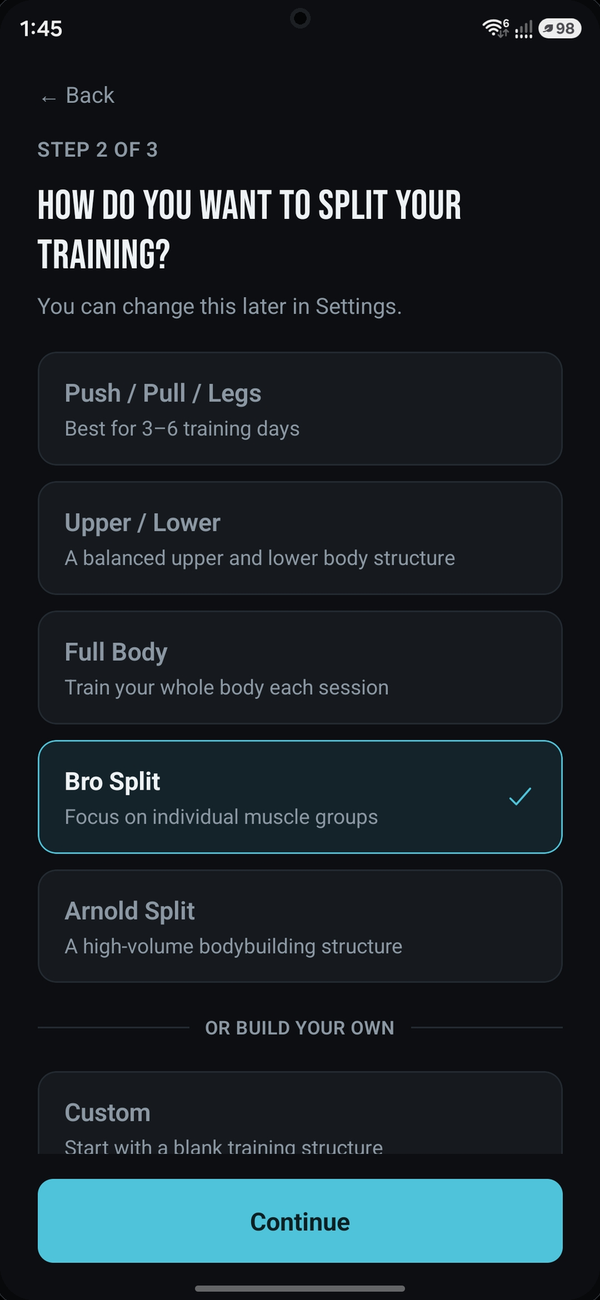
Choosing a training split
Pick your training split
02
Your Home Base

Everything, at a glance

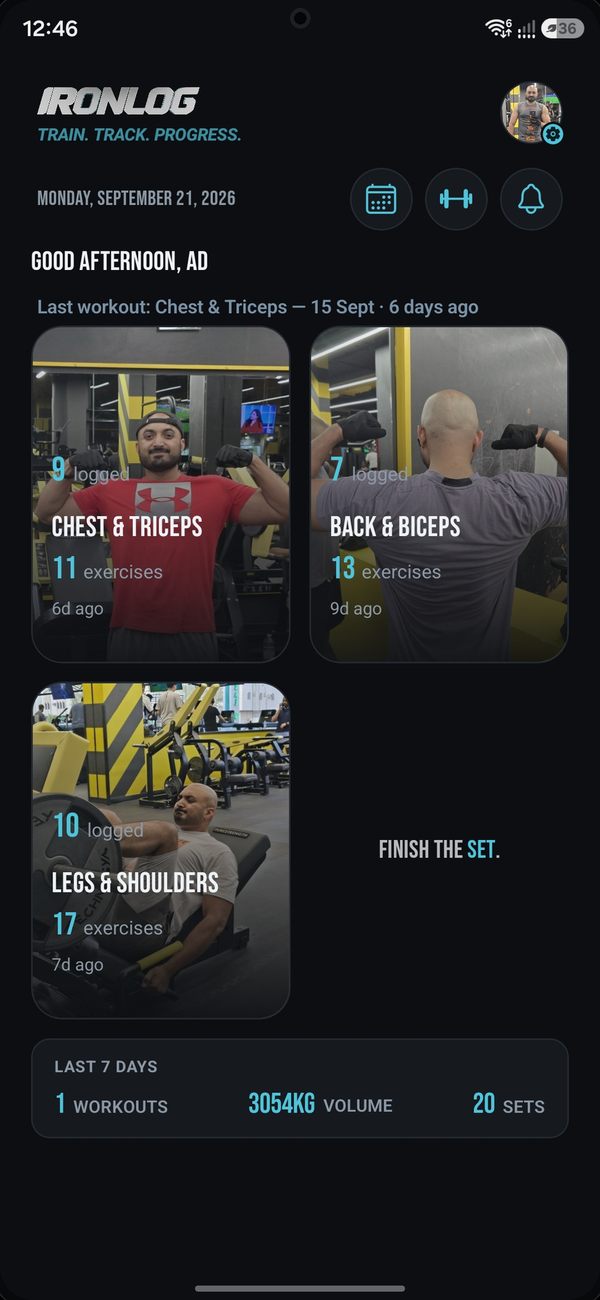
The dashboard adapts to how often you train each day, and every card can carry your own photo.
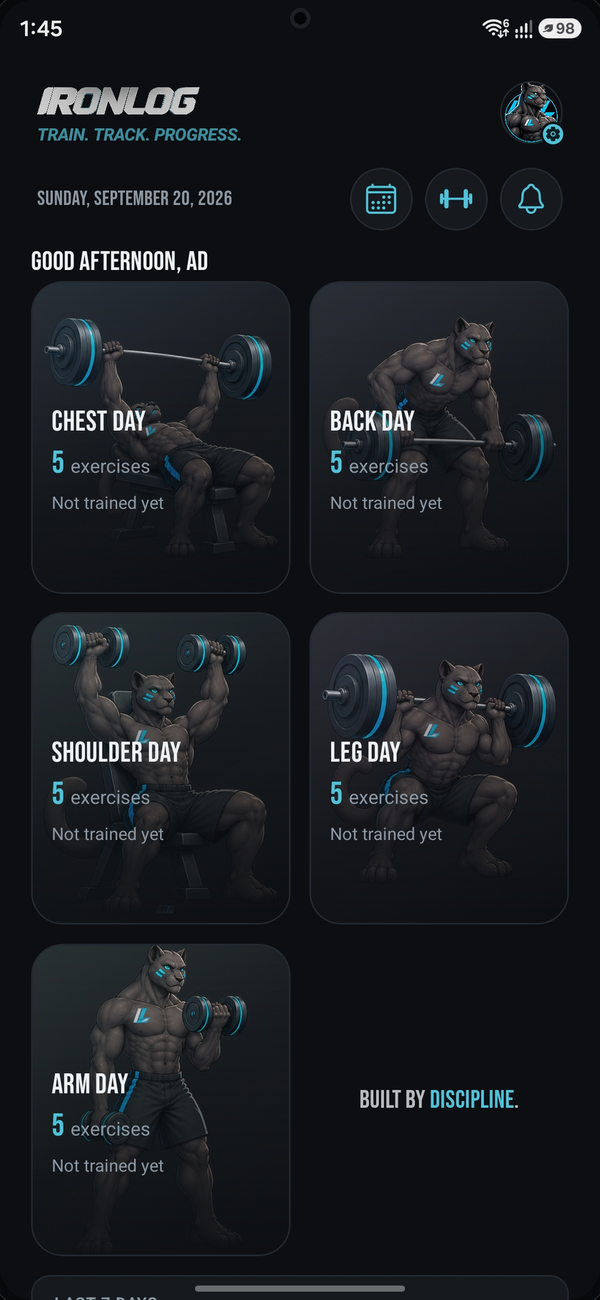
Dashboard showing program days as cards
Your training days, organized
Dashboard with the user's own photos as card backgrounds
Personalize with your own photos
03
Build Your Own

A program that's actually yours

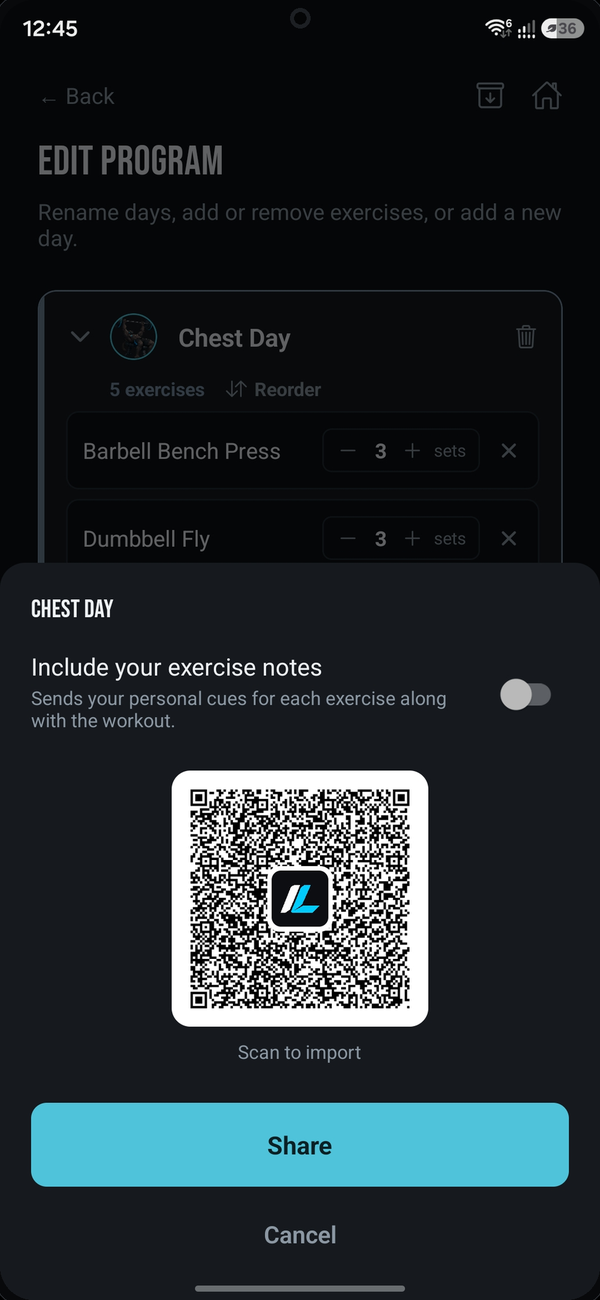
Rename days, swap exercises, or send a whole training day to a friend with one scan.
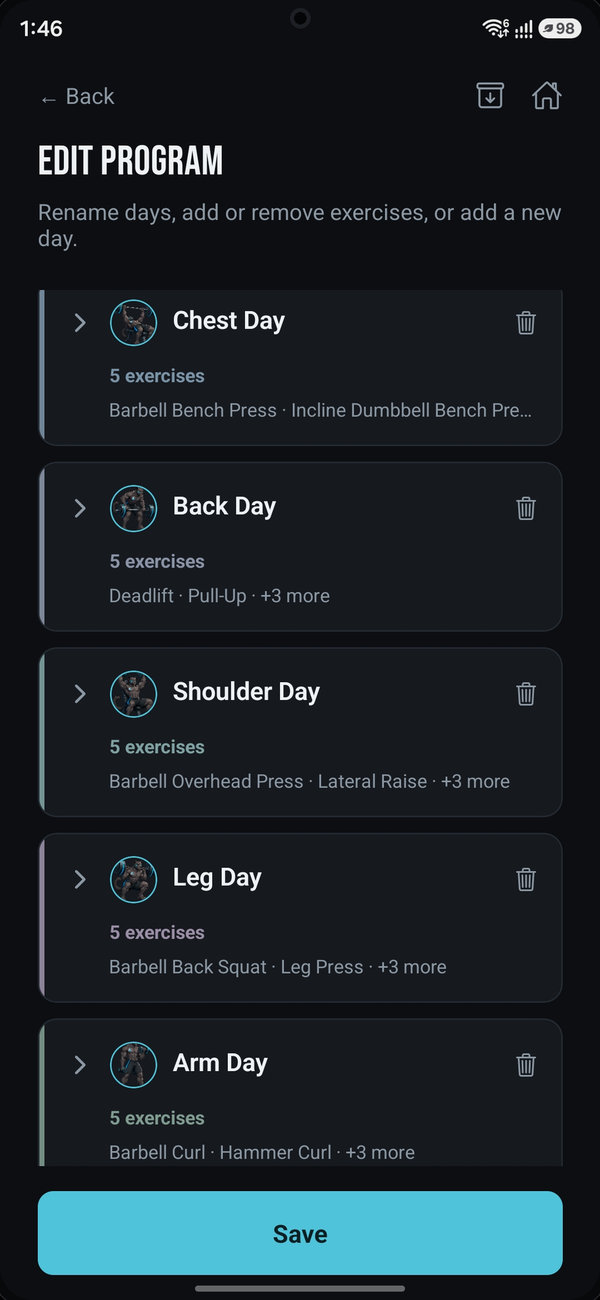
Edit Program screen listing training days and exercises
Add, remove, reorder freely
Sharing a training day as a QR code
Share a day with a QR code
04
In The Gym

Log every set in seconds

Weight and rep wheels, a built-in rest timer, and your last session's numbers right there for reference.
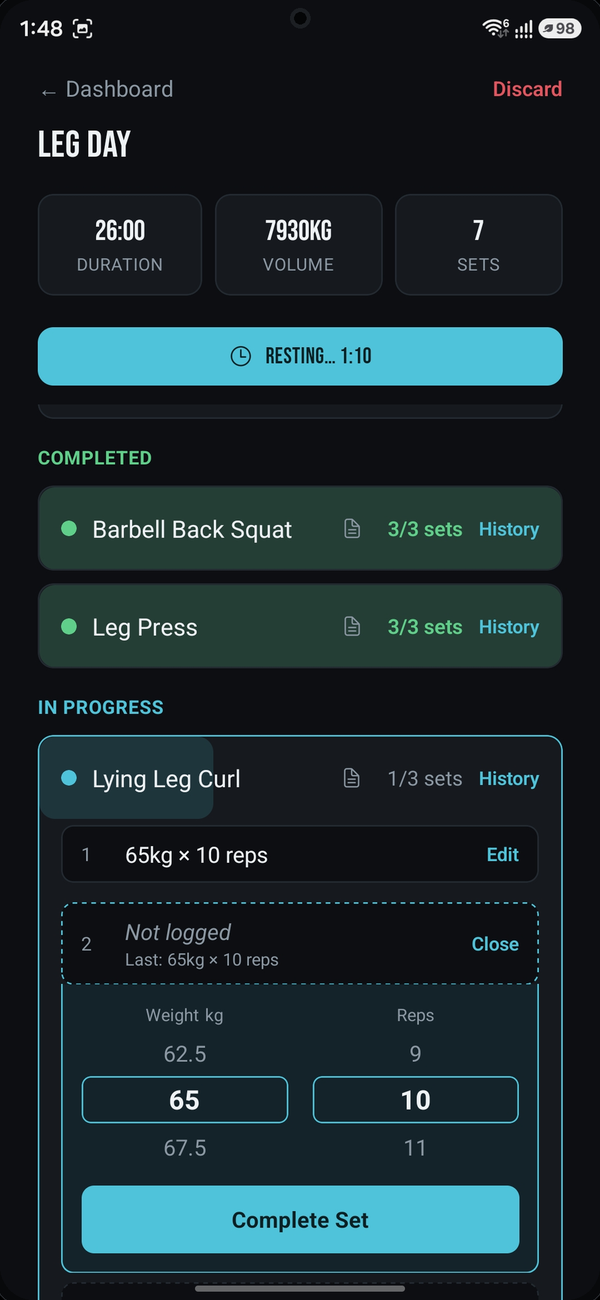
Active workout logging screen with weight and reps
Weight, reps, and rest — all in one tap
05
After The Workout

See it, then share it

Every finished workout gets a full breakdown, and a Share Card you can make your own.
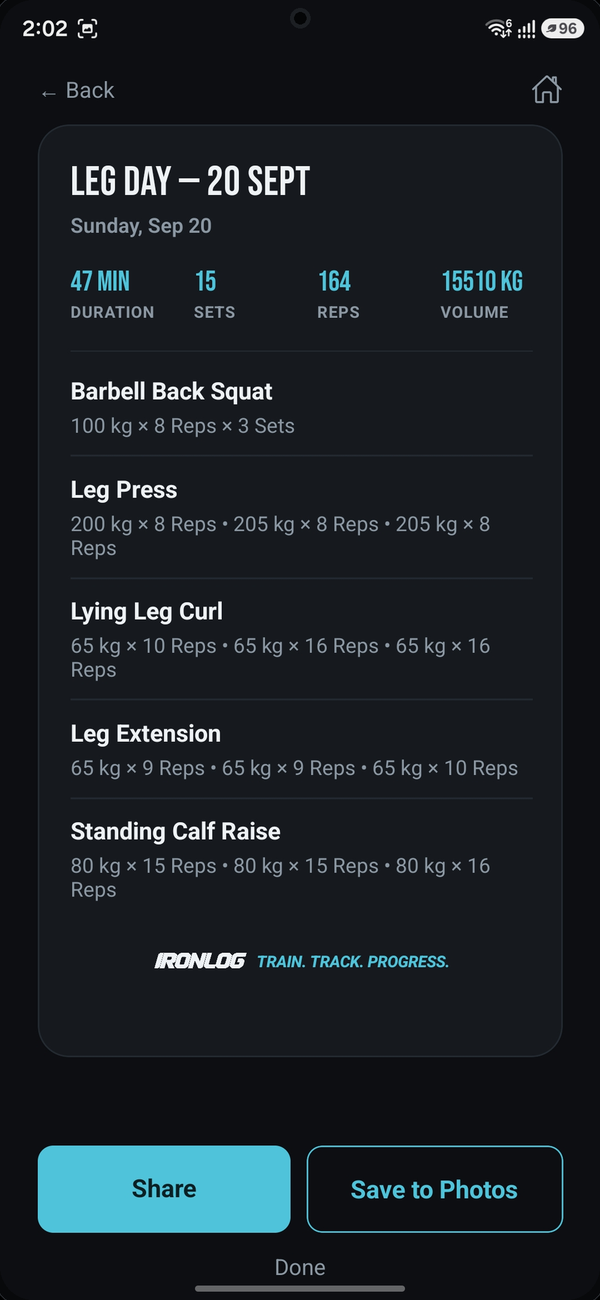
Full workout summary with sets and reps
A clean summary of everything
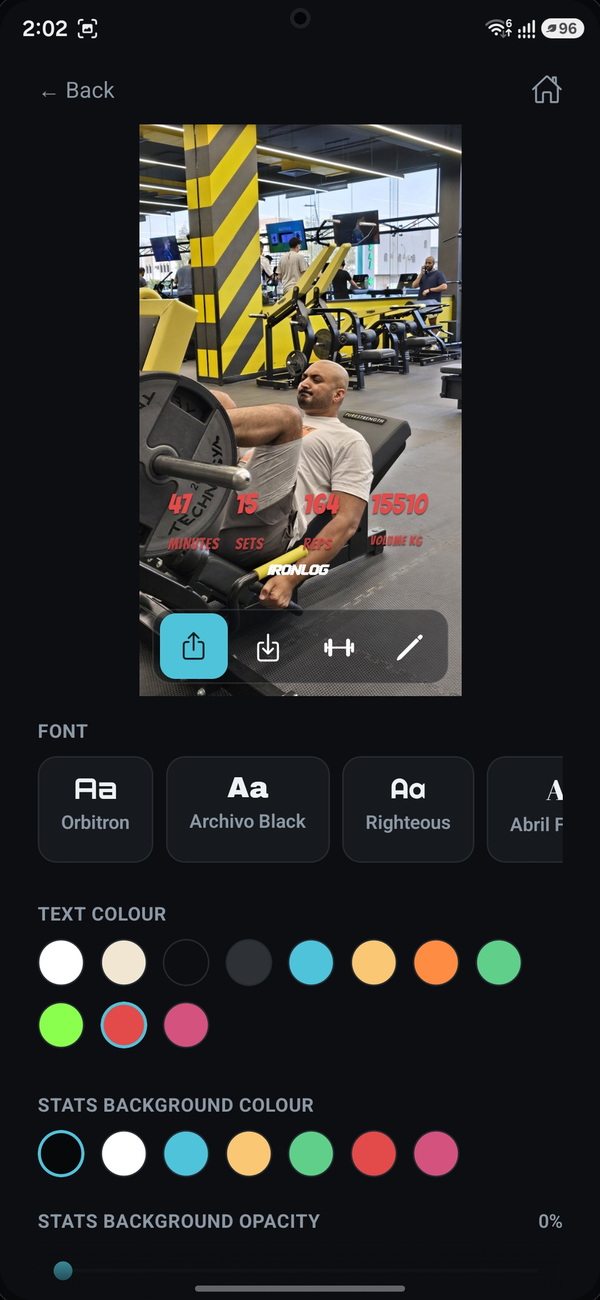
Customizing a Share Card with photo and colors
Customize your Share Card
06
Share Your Progress

Instagram-ready, in one tap

Story or feed format, your own font and colors, no watermark fighting for attention.
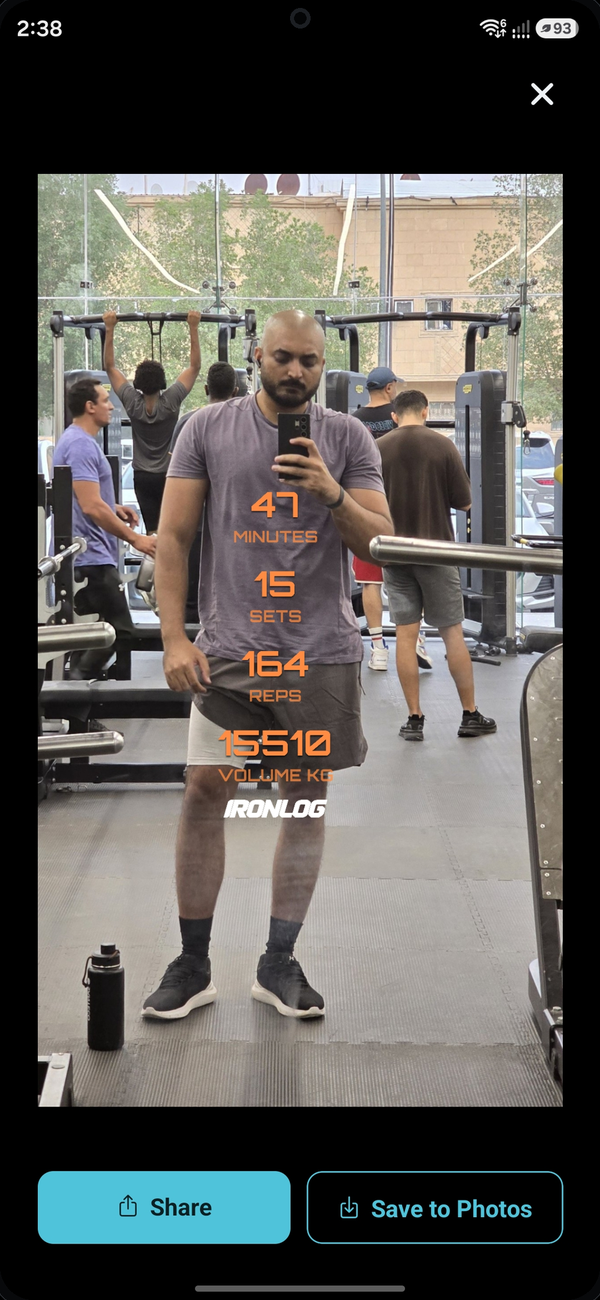
Finished Share Card ready to share or save
Your finished Share Card
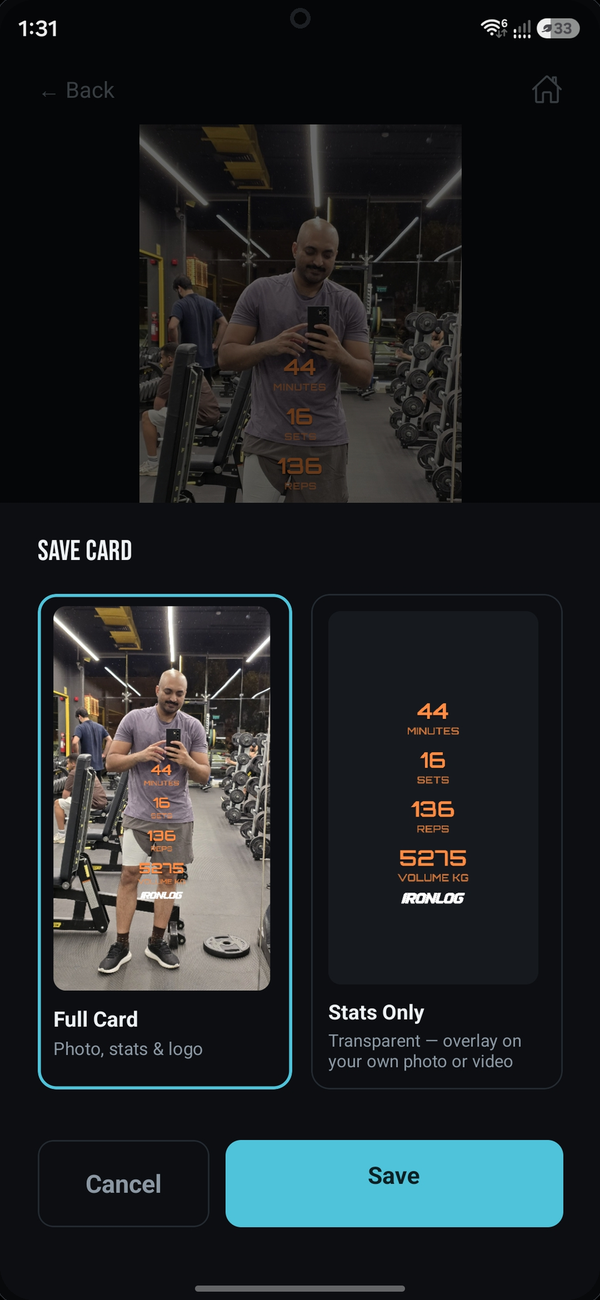
Save Card screen with Full Card and Stats Only options
Full card, or a stats-only overlay
07
The Bigger Picture

Every rep, remembered

Not just a workout log — a full picture of how far you've come.
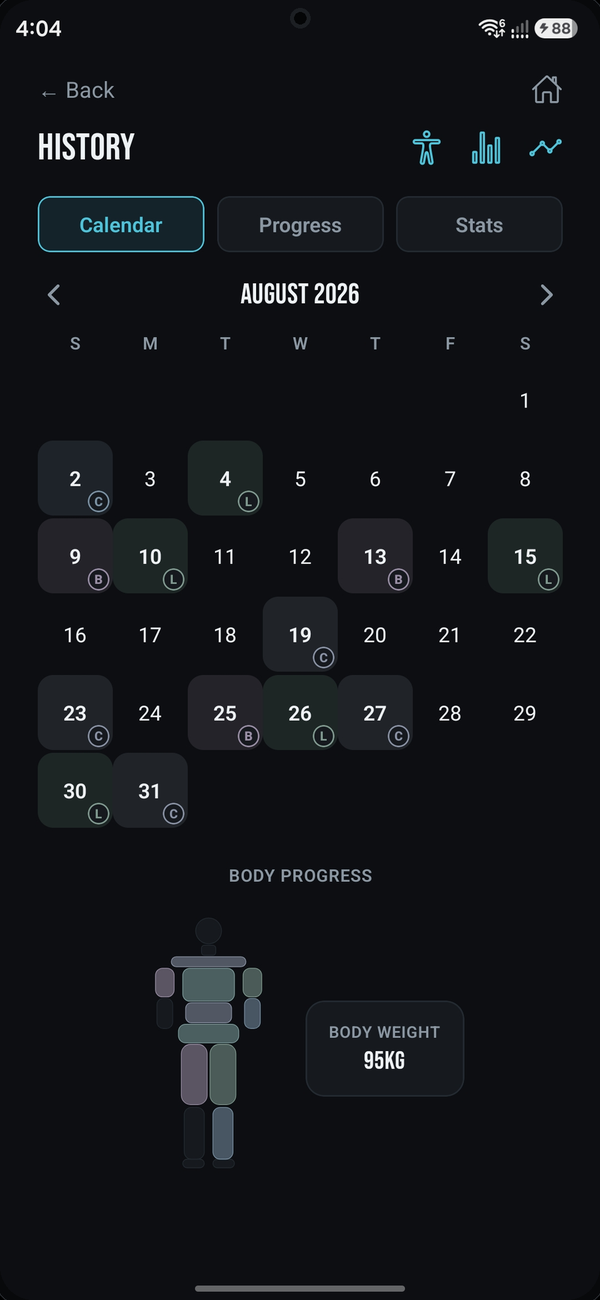
History calendar with trained days marked
Every workout, on the calendar
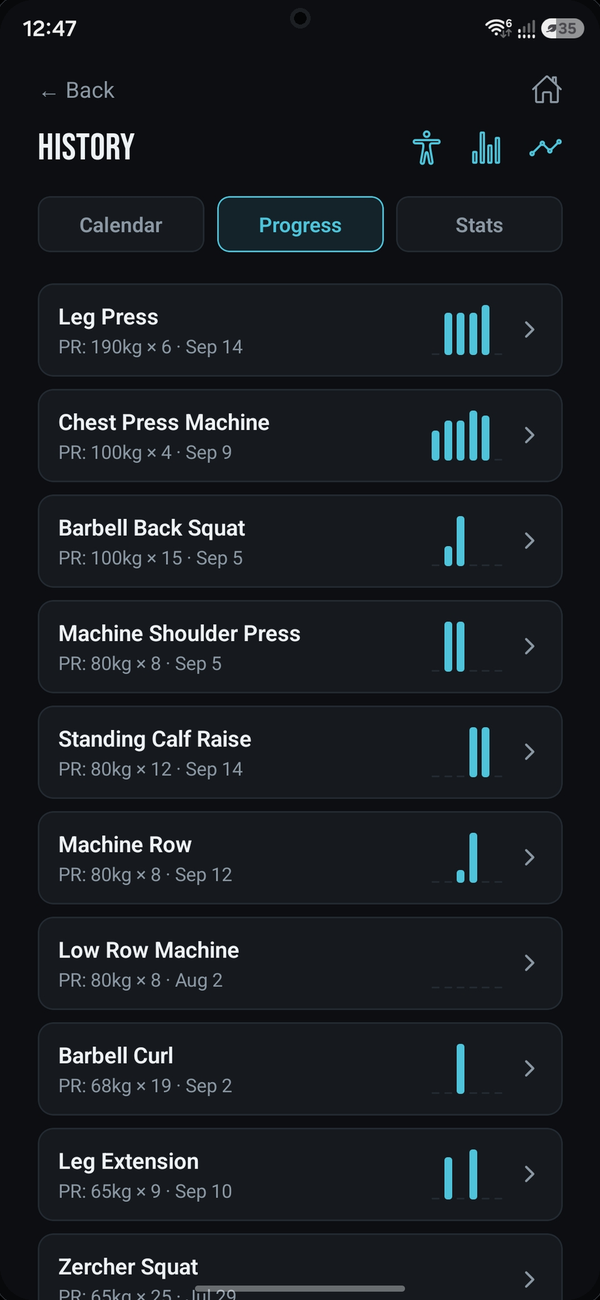
List of personal records by exercise
Every personal record, tracked
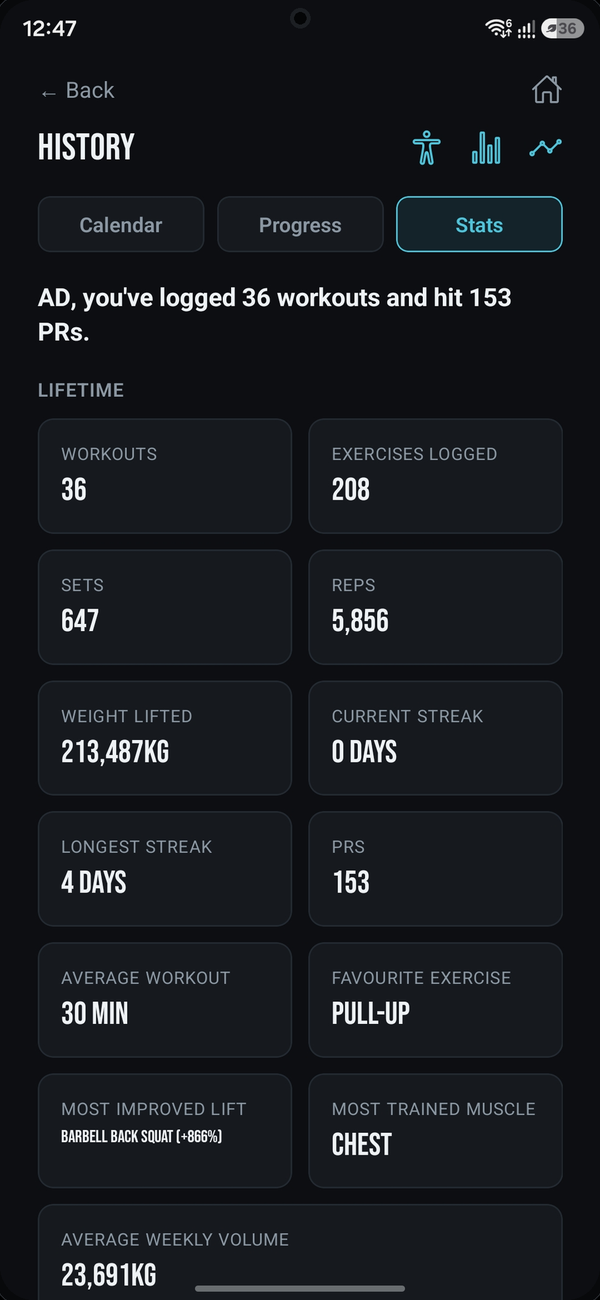
Lifetime stats: workouts, sets, reps, and streaks
Lifetime totals and streaks
08
Visualize Your Strength

Watch the numbers climb

Every exercise gets its own trend line, so progress is something you can actually see.
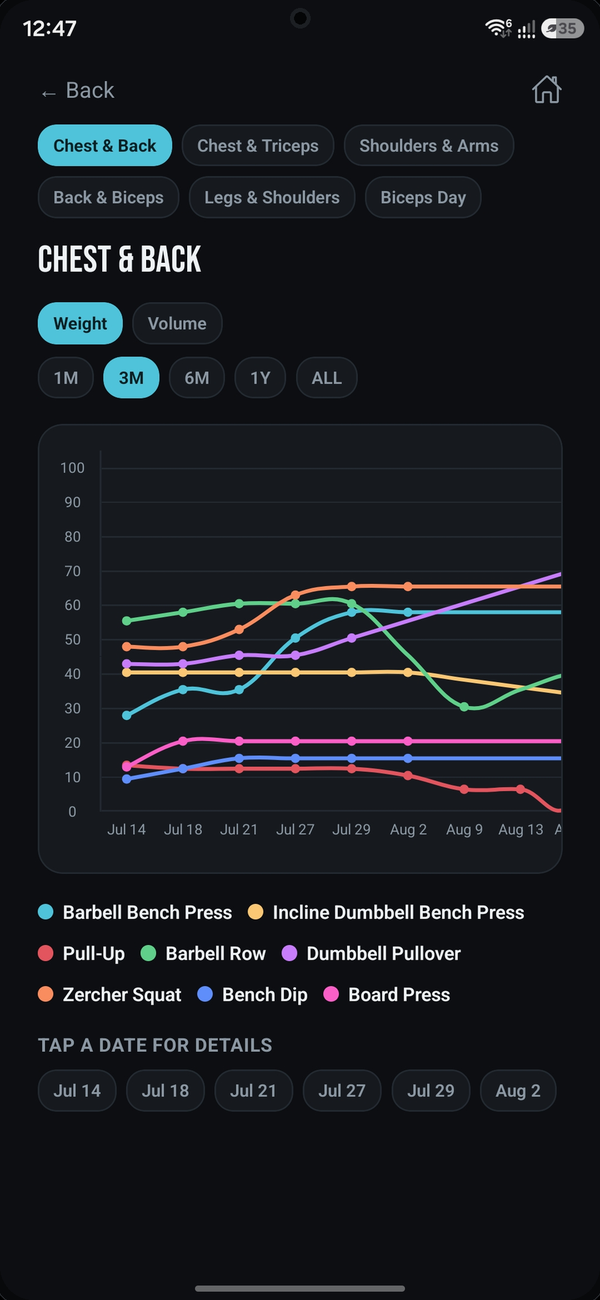
Weight progress chart across several exercises over time
Compare lifts over weeks, months, or years
09
Make It Yours

Built around how you train

Your data stays on your device — back it up or export it any time, no account required.
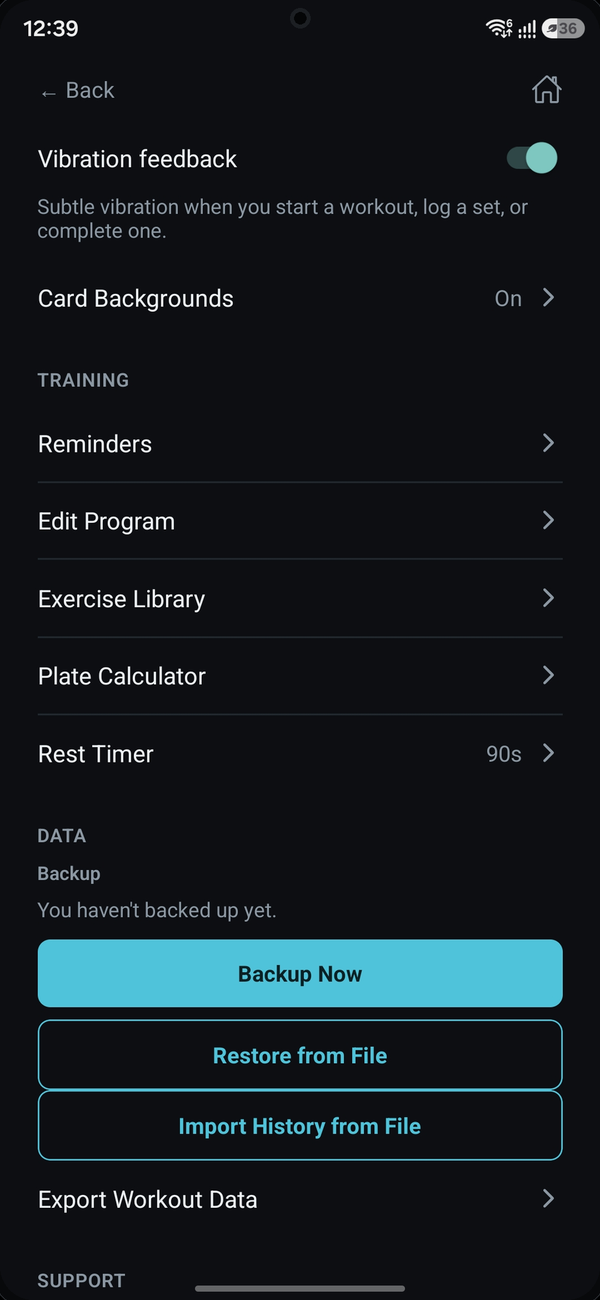
Settings screen with rest timer, backups, and export options
Units, rest timers, backups, and more

That's IronLog.

No account to create, no ads, nothing standing between you and the next set. Your training data lives on your device and backs itself up automatically — this guide is always reachable from Settings if you need it again.

IronLog User Manual · Version 1.0